SEO in the AI Era: Beginner Guide and 30-Day Plan
SEO isn't dead, it's the foundation AI search is built on. Here's the complete beginner playbook.
Read analysisSource-backed research
Summarize long YouTube videos with AI and get clear key takeaways with clickable timestamps that take you back to the exact moments in the original video.
Summarize a YouTube VideoChoose your source and outputs in the KnowledgePilot workspace.
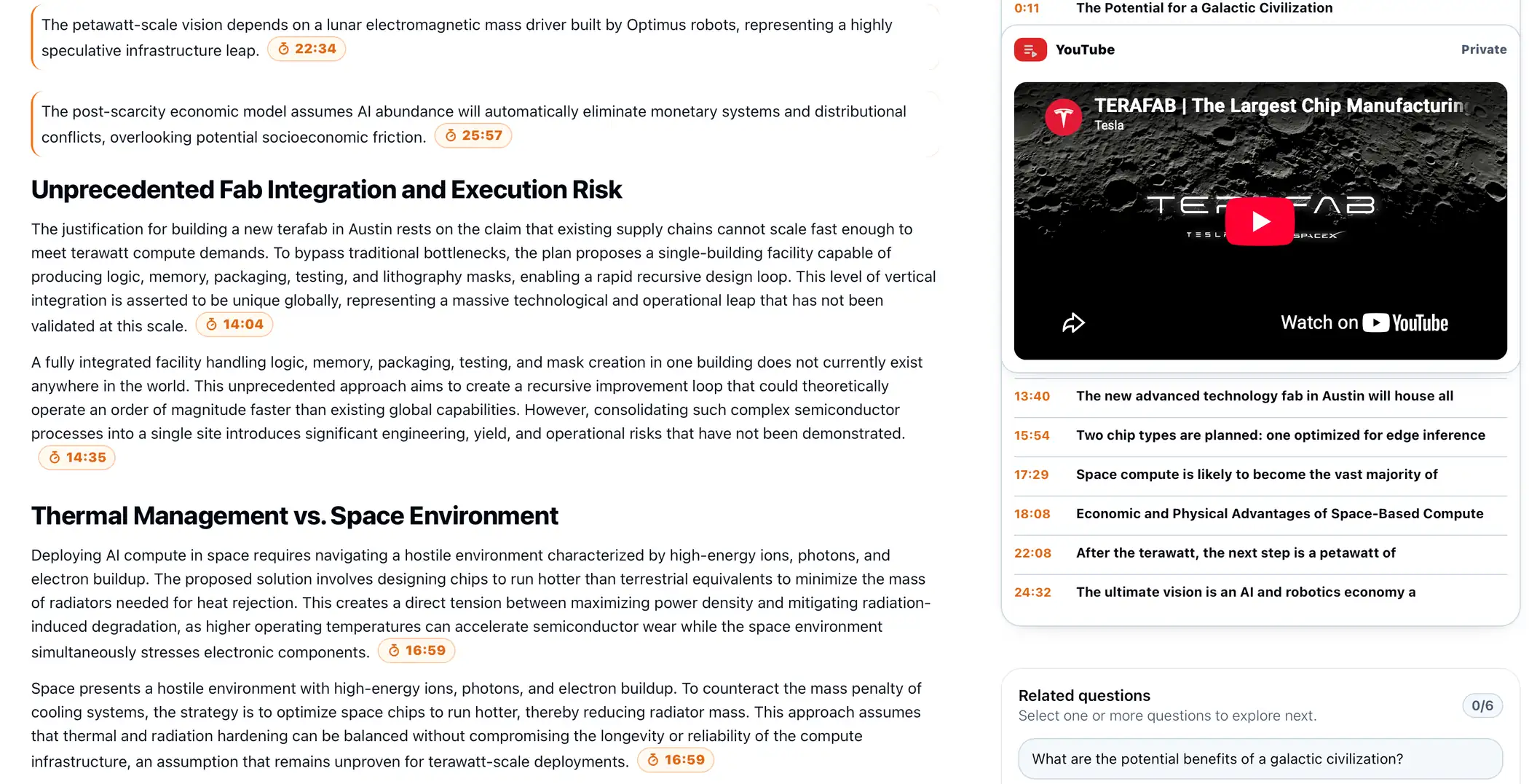
Review the main ideas in podcasts, interviews, lectures, conference talks, earnings calls, research videos, and technical presentations. Select the output that fits your task, then check important details in the original recording.
Timestamp references connect cited takeaways to the relevant point in the video. Open a reference to hear the surrounding context before relying on a claim.
Use Customized Question to investigate a specific argument, figure, or explanation. The answer keeps its supporting video references close at hand.
Save completed video analyses to your Library. Add related sources to a Knowledge Hub, then ask questions across the retained videos and documents with source attribution.
Keep discovering
Follow relevant YouTube channels in Watchlist so new videos are easy to find when you are ready to review or analyze them. Save completed analyses in your Library and bring related sources into a Knowledge Hub.
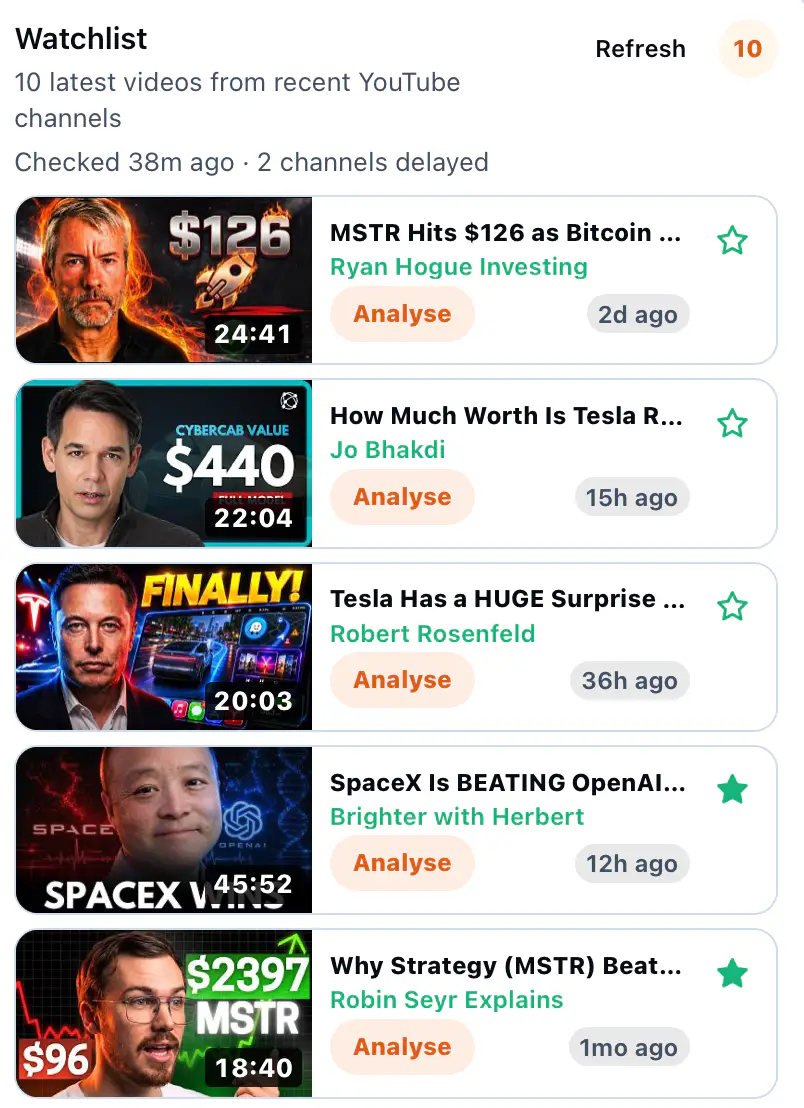
Researchers, investors, students, engineers, and analysts can use this workflow to navigate long interviews and technical material. Revisit the cited moments before using consequential claims.
Yes. Paste a supported YouTube link, select the outputs you need, and start an analysis. Source availability and transcript access can affect processing.
Citation-bearing generated outputs link to timestamps in the retained video transcript. The separate short summary is a quick orientation and does not carry citations.
Yes. Select Customized Question during analysis, or ask questions across completed sources in a Knowledge Hub.
Yes. Completed video assets can be grouped in a Knowledge Hub for questions across sources. The analysis workflow also supports a combined run using two to four completed Library assets.
It analyzes the available video transcript and metadata. Timestamp links take you back to the relevant moment in the original video so you can verify context.
Build a library of documents and videos, bring related sources together in Knowledge Hubs, and ask questions across them. Get clear, source-backed answers while keeping every project organized in one place.
Simple pricing
Every plan includes source-linked answers, summaries, and research across videos and documents.
$0forever
Explore source-backed analysis with no credit card required.
$16per month10% off
For regular research across videos and documents.
$26per month20% off
For deeper, higher-volume research workflows.
Prices shown in USD. Credits are added monthly on paid plans.
Paste a YouTube link or upload a document to get source-backed answers, summaries, and research. New accounts receive 40 starter credits after email verification.
Already have an account? Log in
Public Library
SEO isn't dead, it's the foundation AI search is built on. Here's the complete beginner playbook.
Read analysisFrom 1939's Futurama exhibit to Austin's driverless rides: the complete Tesla Cybercab and robotaxi story.
Read analysisSpaceX's Gwynne Shotwell on selling rockets before they existed, Starlink's 2% market share, and why data centers belong in orbit.
Read analysis