Video and transcripts
Use the YouTube transcript extractor and YouTube transcript downloader to extract a transcript from a YouTube video, copy the text or download a YouTube transcript as TXT, Markdown or JSON. Turn a YouTube video into a text transcript, download available SRT and VTT subtitles when usable timing is retained, or save all transcript files in a ZIP.
More ways to work with your sources
Explore the AI book summarizer, YouTube summarizer or document summarizer for a different source or output.
Turn a YouTube video into a transcript
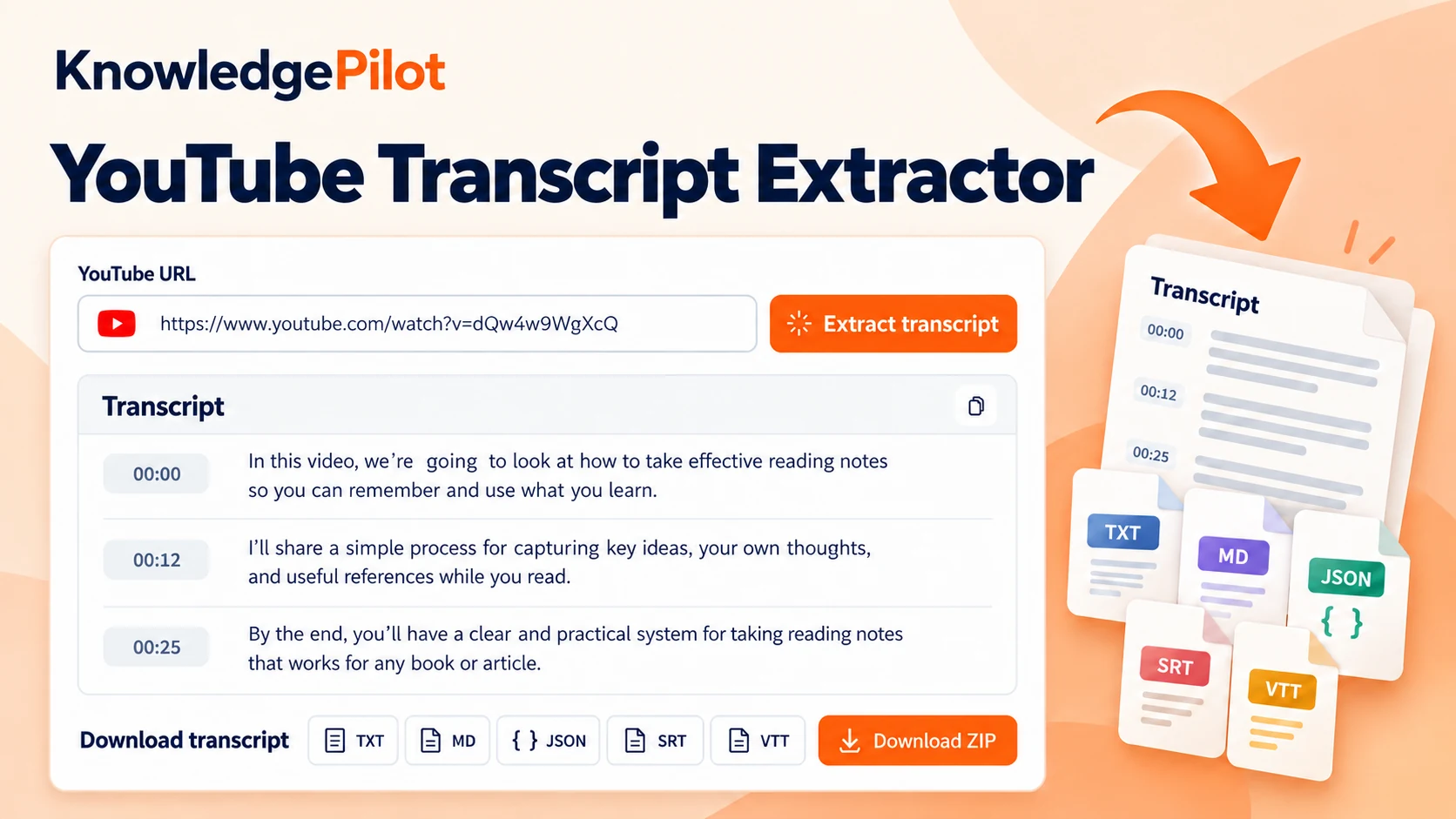
Use the KnowledgePilot YouTube transcript tool to convert a YouTube video to transcript text, extracting the available speech from one source at a time. Paste a link, prepare the video and review the 4-credit estimate before confirming. The result gives you YouTube video transcripts to read in a scrollable viewer, copy into your notes or save in the available formats. Transcript extraction and file formatting do not use an LLM to summarize or rewrite the words.
How to get a transcript from a YouTube video
Paste the video’s watch or share link into the URL field and choose Prepare video. Once the source is ready, review the estimate and complete the security check, then choose Extract transcript. If you are learning how to get a YouTube video transcript for your notes, start with a video you can open and play. The tool checks source availability before processing; a valid link does not guarantee that its spoken text can be obtained.
Can I get a transcript of a YouTube video?
Yes, when the video is accessible and the extraction service can obtain its transcript. You can get a transcript for YouTube videos such as lectures, interviews and tutorials, but restrictions or missing source data can prevent a result. If you need a transcript from YouTube for a quotation, review the wording against the speaker’s audio before using it.
Do all YouTube videos have transcripts?
No. Some videos lack usable captions or transcription data, and others are private, restricted or unavailable. The YouTube transcript feature on YouTube itself can also be absent for a particular video. A YouTube transcript finder cannot make inaccessible speech available simply from a URL, and KnowledgePilot cannot guarantee a transcript for every link.
How to download a transcript from YouTube
Complete extraction, then use the download buttons above the viewer. To download a transcript from YouTube as plain text, choose TXT; choose MD for Markdown or JSON for the retained transcript structure. SRT and VTT appear as available downloads when usable source timing is retained. You can download transcripts of YouTube videos individually after processing each video, or keep one video’s available files together with Download ZIP.
Download YouTube transcript as text
Choose TXT to download YouTube transcript text without timestamp badges or subtitle cue numbers. This is useful for reading, searching and pasting into a document editor. If you want to download YouTube transcripts for later reference, keep the source video link with your notes so you can return to the original explanation. A downloaded file contains the text obtained for that video; check any reported gaps before treating it as complete.
How to download a YouTube transcript in different formats
If you are learning how to download YouTube video transcript files in different formats, the buttons use the files retained by the completed extraction. Choose TXT, MD or JSON for text-based work, SRT or VTT for timed subtitles, or Download ZIP for the available set. This YouTube video transcript downloader lets you save another available format without paying for another extraction. Downloading retained files does not call an LLM or generate a new transcript.
Copy YouTube transcript text without timestamps
Open TXT in the viewer, then choose Copy. This copies the plain transcript rather than the timestamped Markdown view or subtitle cues. To copy a transcript from YouTube into meeting notes, a study document or your own editor, paste that text where you need it. If you want the timing lines too, switch to MD or SRT before copying; Copy follows the selected file.
Extract YouTube transcript text from a video link
Use the input above to extract a transcript from a YouTube video you want to read. The YouTube video transcript extractor handles one supplied source, then retains the result for reading and downloads. Both watch links and share links are accepted. It does not scrape YouTube transcripts across channels, search the whole platform or process a playlist in bulk.
How to save a transcript of a YouTube video
Download TXT for a plain reading copy, or MD if you want a Markdown document with the retained timestamps. Your completed result is also available in Your Library, where you can reopen it and download its saved files. When you download YouTube video transcript files to your device, use a folder or filename that helps you connect the text back to its source.
How to make a transcript of a YouTube video
Prepare the video and confirm extraction to obtain its available spoken text. You do not need to write a prompt or ask an AI model to reconstruct the dialogue. People use terms such as YouTube link transcript generator and YouTube transcription tool for this workflow, but the result should preserve the extracted words rather than replace them with a generated summary.
YouTube to text transcript: choose MD, TXT or SRT
A YouTube to text transcript can serve different tasks. MD displays the saved Markdown with headings and available timestamps, while TXT gives you text without added timestamp labels. SRT shows the subtitle cue numbers, start and end times, and spoken text. All three views sit in the same scrollable panel, so you can compare the saved formats before choosing one to copy or download.
YouTube video to text transcription with source timestamps
The YouTube video to text transcript retains timing when the source provides it. YouTube to text transcription with these references helps you return to the speaker’s original words. Timestamped Markdown helps you locate a passage, while SRT and VTT package usable segment times for subtitle work. A YouTube caption transcript can contain overlapping cues; valid overlaps are preserved rather than treated as missing timing. Plain text alone does not establish when a sentence was spoken, so the tool does not invent timestamps.
Can you download a transcript from YouTube as SRT or VTT?
Yes, when the retained source includes usable start and end times. SRT uses numbered cues with timing lines; VTT uses the WebVTT subtitle format. Both downloads are included in the same 4-credit extraction when available. If an older saved result lacks these files, its SRT or VTT button stays disabled. The SRT viewer shows the saved subtitle file, including its original timing lines.
YouTube transcription download or transcript ZIP?
A YouTube transcription download can be a single file or the available set. For a YouTube transcript download you can read in an editor, choose TXT or MD. Choose an individual format when you only need readable text, structured data or subtitles. Choose Download ZIP to keep the available transcript and subtitle files together with their manifest. JSON retains transcript segments and timing information for further work; TXT is the simpler choice for reading.
Can I download a transcript from YouTube without a subscription?
Yes. A transcript extraction costs 4 credits, and you can use an existing KnowledgePilot credit balance or buy a one-time top-up. A subscription is not required. Video access and transcript availability still apply. Once a result is complete, copying it or downloading its retained formats does not use another 4 credits.
YouTube transcript generator or summary tool?
YouTube transcript generators and summary tools produce different kinds of results. A transcript keeps the words obtained from the source; a summary condenses the ideas. This YouTube to transcript converter extracts and formats the available speech without LLM summary or chapter jobs. Use the YouTube summarizer if you want key takeaways or an overview instead of the transcript.
Can I search YouTube transcripts?
This page does not offer YouTube transcript search across videos or channels. Open a single extracted transcript and use your browser’s Find command, or search its downloaded TXT file in an editor. A YT transcript downloader helps you keep that source’s text; it does not give you a searchable catalogue of every YouTube transcript.
Review YouTube audio transcription before quoting
YouTube audio transcription can mishear names, numbers and technical terms. Converting YouTube videos to transcript files does not remove those source errors. Compare important passages with the audio, and keep quotations faithful to what the speaker said. If extraction reports missing content, do not assume the transcript covers the full video.