A useful way to turn a YouTube lecture into study notes is to ask for explanations organized around your learning goal, then check the important points against the video. Keep definitions, worked examples, and questions for later review. A short overview helps you decide what to study; it rarely contains enough detail to study from on its own.
In KnowledgePilot, start with the Short Summary for orientation, then use Key Takeaways or a focused custom question when you need timestamp references. This guide gives you a repeatable note-making method. The prompts below are suggested instructions, not results from a completed lecture analysis.
Decide what the notes need to help you do
Before you paste the link, finish this sentence: “After this lecture, I should be able to…” That might mean explaining a concept, applying a method, or comparing two arguments. Your answer determines which parts belong in the notes. An introductory economics lecture and a tutorial on writing a SQL query need different kinds of detail.
For a concept lecture, ask for definitions and distinctions. For a practical tutorial, ask for the sequence of steps and the conditions that make them work. For an interview, ask which claims belong to which speaker. If you already have a syllabus or assignment brief, use its topic to narrow the question rather than asking the AI to guess what your course requires.
Check the source before asking AI to summarize it
Record the lecture title, presenter, original URL, and publication date. Check that the video covers the topic you need. A clear summary of the wrong lecture still produces the wrong notes, and an old software tutorial can explain an interface that has since changed.
YouTube’s transcript instructions explain how to open “Show transcript” for a captioned video and jump to a moment by selecting a caption line. Read a short passage containing technical vocabulary before relying on it. YouTube’s automatic-caption guidance warns that speech recognition can misrepresent spoken content. Names, formulas, and unfamiliar terms deserve an audio check.
Use this prompt to turn a lecture into notes
Suggested prompt: “Create study notes from this lecture for someone learning [topic]. Organize the notes by concept. Explain important terms in plain language, retain the speaker’s worked examples, and identify assumptions or limitations. Add source references where supported. Finish with questions I should be able to answer from the lecture. If a detail is missing or unclear, say so. Do not fill gaps with outside information.”
Replace [topic] with something specific, such as “SQL joins” rather than “databases.” If the output is too broad, narrow the next question: “How does the lecturer distinguish an inner join from a left join, and what example shows the difference?” Treat the prompt as a starting point. Inspect the response before accepting any definition, reference, or proposed review question.
Build notes that keep examples beside explanations
Give each concept its own short note with a definition, an example from the lecture, the conditions under which it applies, and a source location you have checked. Leave room for your own explanation. You should be able to tell which words are the speaker’s, which are the AI’s paraphrase, and which are your interpretation.
For illustration, a note about SQL joins might read: “Concept: left join. Explanation: keep every row from the left table and include matching right-table data. Check: what happens when no right-table match exists? Source: locate the lecturer’s worked query before recording the example.” This is an invented note-format example, not a claim about a particular lecture. Add the actual query and timestamp only after checking them.
Use timestamps to verify the difficult parts
Check the points that would change your understanding if they were wrong: definitions, quantities, exceptions, and the steps in a worked example. Open the linked moment and listen to the surrounding explanation. A timestamp can lead to the right topic while the summary still misses a qualification a few sentences later.
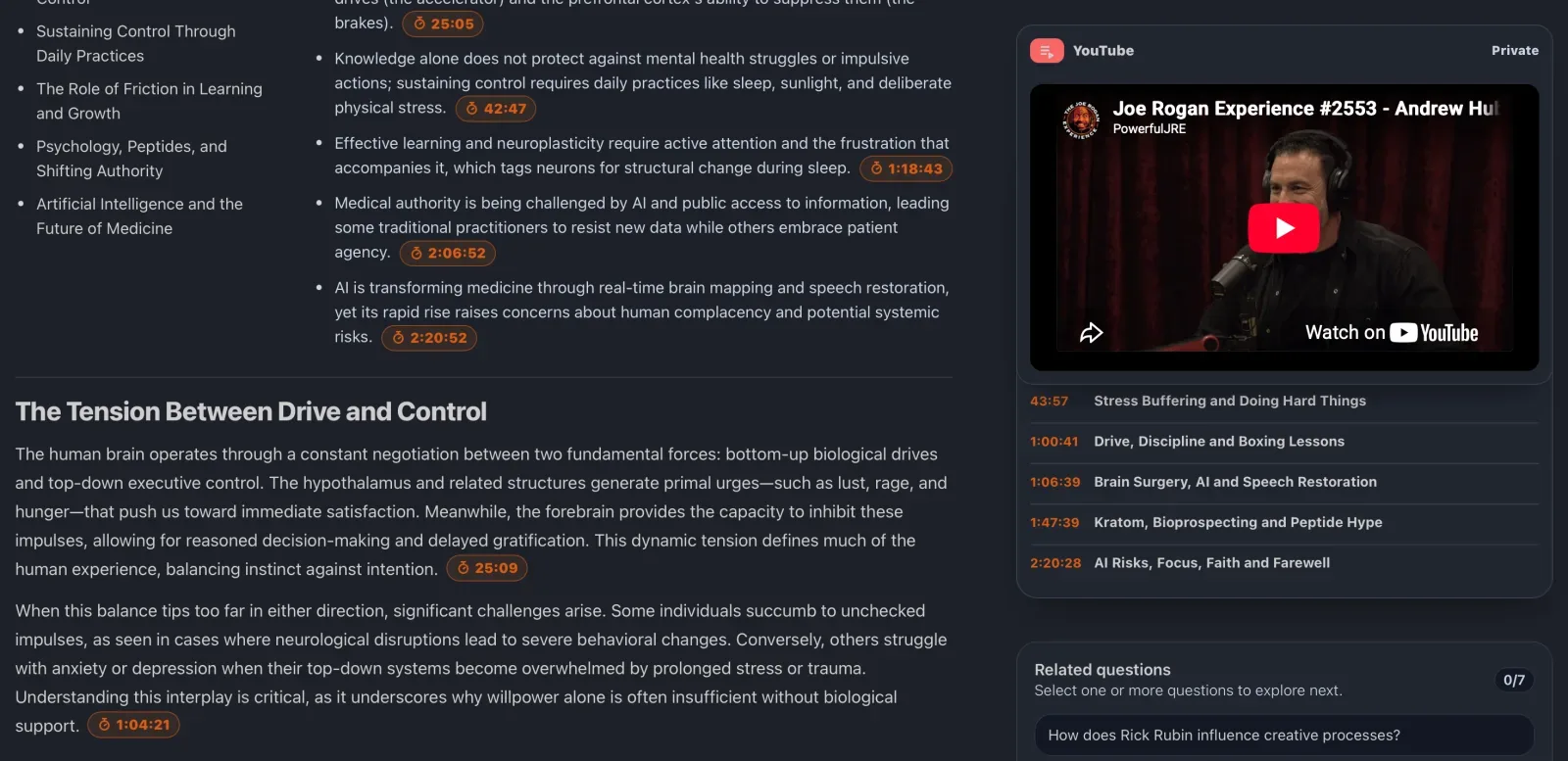
KnowledgePilot’s video-summary walkthrough shows how timestamped takeaways sit beside the original source. Its example is a podcast, but the same checking habit applies to a lecture. Keep the distinction between outputs in mind: Short Summary gives you an overview without citations; citation-bearing outputs provide references you can follow. Source references make a claim easier to inspect, not automatically correct.
Watch the video when the explanation depends on visuals
Watch the relevant segment when the instructor points to a diagram, derives an equation on screen, or changes a piece of code without reading it aloud. A transcript records spoken words. It may omit the labels, intermediate steps, or screen state that make those words understandable. A polished paragraph cannot recover information that was never captured in the source text.
For those segments, add your own description of the visual and record its source location. If you cannot reconstruct a worked example from the notes, return to the video. Avoid treating an AI-generated code sample or equation as the instructor’s original example unless you have compared them directly.
Turn the notes into questions for review
Ask for review questions that can be answered from the lecture, then try answering them with the notes closed. Use questions that reveal a distinction or require an explanation: “When would this method fail?” is more revealing than “Do you understand this method?” Check your answer against the source before adding it to your notes.
Mark each question as answered, uncertain, or missing from the lecture. That last category matters. If the video never explains a prerequisite, put it on a separate follow-up list. An AI answer that supplies plausible background is not evidence that the lecturer covered it. Keep supplemental material labelled with its own source.
Save a version you will recognize next week
Use a descriptive title that includes the topic and lecture name. Keep the original URL, your checked notes, and unresolved questions together. When you return, start with the unresolved questions rather than generating another broad summary and trying to remember what you checked last time.
KnowledgePilot keeps generated analysis with saved sources, and Knowledge Hubs let you group sources for later questions. For one lecture, the immediate job is simpler: keep a usable set of notes and a route back to the video. If you add course readings later, preserve their separate citations so you can tell which source supports each answer.
Can I make study notes without an AI tool?
Yes. For a captioned video, use YouTube’s transcript view to locate passages, write your own concept notes, and record source moments. This is a reasonable choice when you need only one short section. AI becomes useful when you want a first pass across a long lecture or help organizing a question about several parts of it. You still decide what belongs in the final notes.
Can an AI lecture summary replace watching the lecture?
It can help you identify the sections worth watching, but it may omit worked examples, visuals, and qualifications. Use the summary to navigate. Watch the passages you need to understand or quote, especially when the lecture depends on a diagram, calculation, or demonstration.
Start with one lecture and one learning goal
Open the KnowledgePilot YouTube summarizer with a lecture you need to revisit. Write your learning goal, request focused notes, and check the difficult points in the original video. Finish with questions you can answer in your own words. For the checking step, read our guide to AI YouTube summary accuracy alongside these notes.