A timestamp is useful only if it takes you somewhere worth watching. Some YouTube tools provide a transcript you can search; others build a short recap or a reusable research note. Choosing between them starts with deciding what you want after the summary: a viewing shortcut, a quotation to check, or an answer you can revisit.
This is a guide to documented workflows, checked on 23 September 2026, rather than a hands-on accuracy ranking. KnowledgePilot publishes this guide and is included as our own product. Provider documentation is linked below.
Compare the task, not the number of features
| Tool | Documented workflow | Consider it when |
|---|---|---|
| Glasp | YouTube summaries and transcripts with clickable timestamps | You want a browser-based reading and highlighting workflow |
| Memex | Timestamped summaries, export and share links | You want to move a recap into your existing notes |
| NoteGPT | YouTube summarisation alongside a broader learning toolkit | You want summaries and other study conversions |
| KnowledgePilot | YouTube and document analysis with available source references and Hubs | You want focused answers and reusable research material |
These are workflow recommendations, not measured claims about speed or accuracy. Check the current source limits and plan details for the videos you actually use.
Pick a test video with an opening claim, a later qualification and a final conclusion. A one-minute product demo can make every tool look similar; a complex source reveals whether the saved answer leads you back to the right moment.
Transcript timestamps and summary citations do different work
A transcript timestamp tells you where words occur. A summary citation should connect a condensed claim to the passage supporting it. Chapter timestamps provide an outline, but may open several minutes before the relevant statement.
Imagine an interview where a guest introduces a forecast, explains it later, and qualifies it during Q&A. A chapter link helps you navigate. A useful research note also preserves the qualification and identifies the moments supporting both parts of the claim.
When comparing tools, record the type of reference, not just whether a timestamp exists. “Chapter begins at 18:00” is useful navigation; “this claim is supported around 21:40” is closer to evidence. Neither replaces listening to the surrounding exchange.
Glasp: keep the transcript beside your browsing
Glasp documents a YouTube workflow with summaries, transcripts and clickable transcript timestamps. This is an option if you like reading the transcript while watching and highlighting passages for later use.
Check whether the information you save includes the relevant source context, and review sharing settings for any notes you retain. A transcript reference is valuable, but you should still verify the interpretation in a generated summary.
Memex: take the recap into your notes
Memex documents summaries with timestamped references, Markdown, HTML and rich-text export, plus shareable summary links. That makes it worth considering when the summary is an intermediate step in a writing or note-taking workflow.
Try the export format you intend to use. The practical question is whether your next document still gives you an easy route back to the supporting moment, rather than leaving you with a disconnected paragraph.
NoteGPT: combine summaries with other learning tasks
NoteGPT offers YouTube summarisation as part of a larger collection of learning and content tools. Consider that breadth if the same lecture needs several kinds of study material.
Check the allowance for your selected tools and video lengths. A free allocation does not translate into a fixed number of long videos without knowing how each operation is charged.
KnowledgePilot: build an answer you can return to
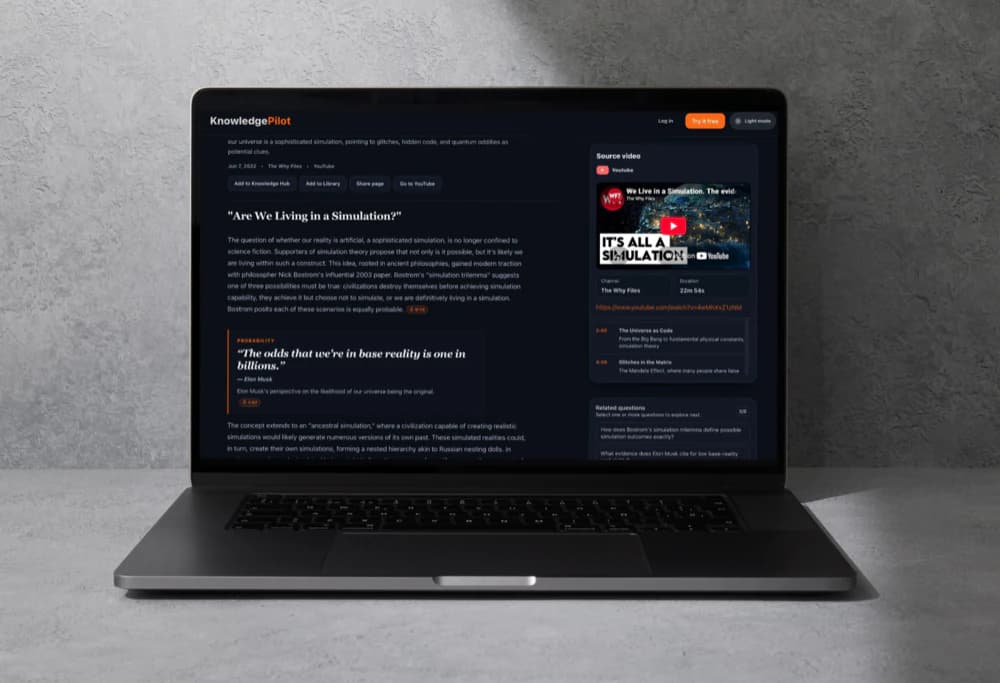
KnowledgePilot is useful when your question is more specific than “What is this video about?” You can ask about a speaker's reasoning, generate structured takeaways, inspect available timestamp references, and keep related documents and videos in a Hub.
Its focus is YouTube links and supported documents. If your main requirement is uploading a standalone recording or capturing a live meeting, choose a workflow that accepts that source.
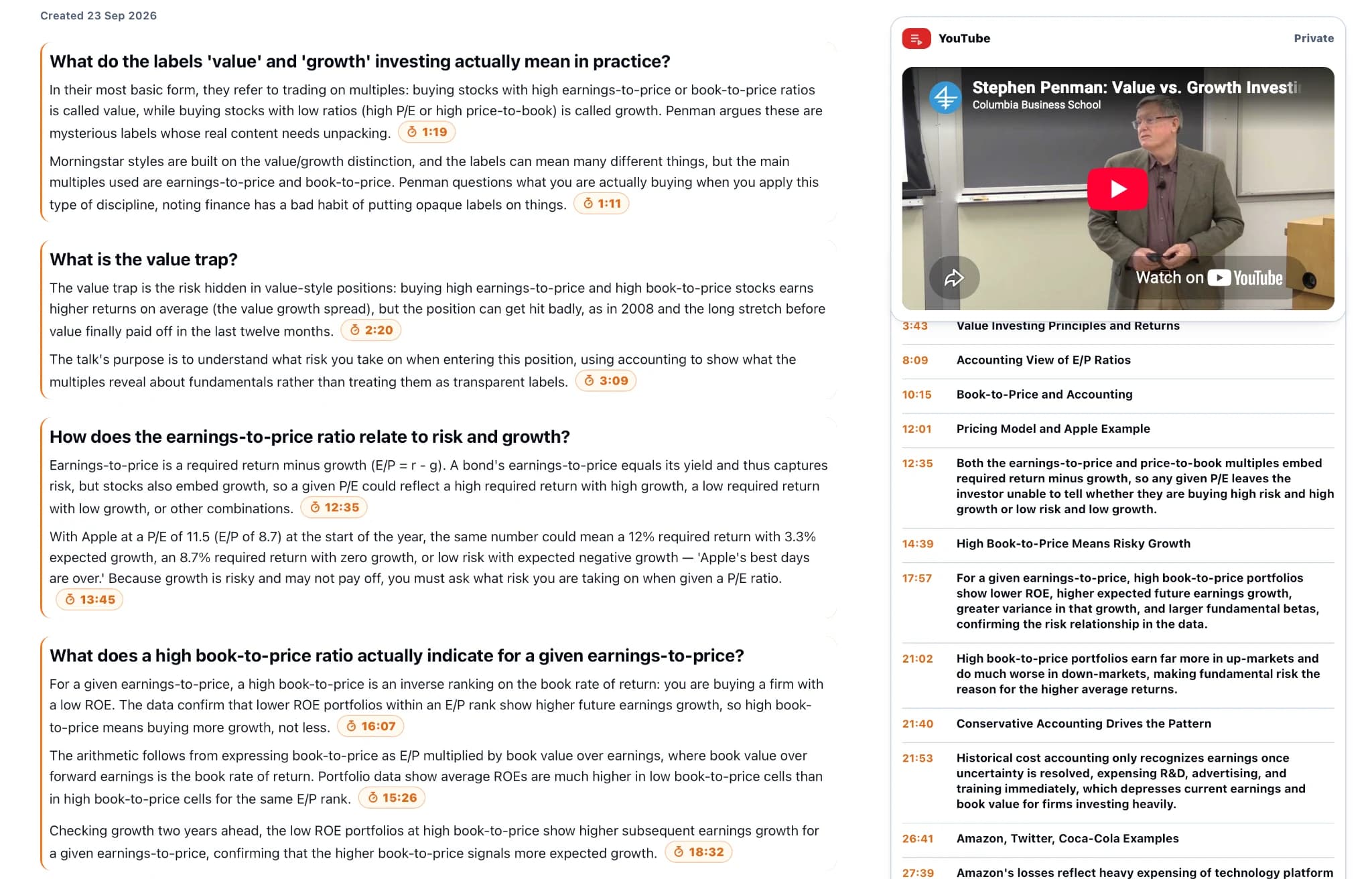
For a practical trial, paste a public video link into KnowledgePilot, generate the output you actually need, then ask a custom question about one qualified claim. Open the available timestamp and listen to the full answer. If you also have a related PDF, keep source attribution distinct when asking across a Hub.
A five-minute evaluation you can repeat
Use a public video you already know and ask: “What is the speaker's main argument, what evidence supports it, and what qualification do they add? Include supporting timestamps.”
Open three references. Check the speaker attribution, whether the answer covers the later discussion, and whether the saved result remains useful outside the first session. Record failures as well as successes. This is a suggested evaluation, not a test we claim to have performed.
Score the result on four separate questions: Did it cover the whole runtime? Did it preserve the qualification? Could you reach the supporting moment? Can you reuse the note tomorrow? A tool can be excellent for quick triage and still be a poor fit for a sourced research brief.
Continue with 4 NotebookLM Alternatives for PDFs, YouTube and Research, compare the approach with 3 Mindgrasp Alternatives for PDFs, YouTube and Study Notes, or explore YouTube Lecture Summarizer: From Video to Study Notes That Actually Work.
How we help
How KnowledgePilot helps
KnowledgePilot supports focused questions about YouTube links, selected outputs, and available timestamp references. Follow each important reference to the original video and keep related documents in a Hub when the research continues.
Frequently asked questions
Are all timestamped summaries equally easy to verify?
No. A chapter start, transcript timestamp and claim-level reference offer different precision. Open the reference and check whether it supports the actual wording of the answer.
Which tool should I use for quick video triage?
A short-summary workflow may be sufficient if you only need to decide what to watch. For research, also evaluate source references, attribution and reuse rather than choosing on recap length alone.
Can I research a video alongside a PDF?
Yes, with a tool that supports both sources. KnowledgePilot Hubs let you group related videos and documents and ask questions across the retained material.
Choose the next step you want to make easier
For browsing, start with the transcript workflow. For exporting a recap, inspect the export. For source-backed questions across videos and documents, try KnowledgePilot with material you already know well enough to judge.