Searching for a NoteGPT alternative? Start with the problem you want to solve. Perhaps you need more room for long videos, a connected reading library, or a clearer way to check an answer against its source. These seven alternatives serve different jobs, from quick YouTube recaps to ongoing research.
This is a provider-documented guide, checked on 23 September 2026, not a hands-on benchmark. KnowledgePilot is our product. We explain where it fits and where another workflow may make more sense; official product references appear below.
What NoteGPT is good at
NoteGPT brings together YouTube and document summaries with a wider learning toolkit, including flashcard and quiz tools. That breadth is useful when one piece of material needs several outputs. Before replacing it, identify the task that is not working for you.
When an alternative is worth considering
Check your actual source lengths, output needs and monthly allowance. If your problem is finding something you saved weeks ago, evaluate collection and retrieval. If it is checking a technical answer, evaluate source references. If it is recording a live class, begin with recording support.
What to actually look for in a replacement
- Source coverage: Does it accept the material you already have?
- Useful outputs: Do you need a recap, study questions or a research brief?
- Retrieval: Can you find and question saved material later?
- Verifiability: Can you inspect the supporting passage or video moment?
- Portability: Do exports and integrations fit your existing workflow?
- Practical limits: How does your typical session consume the current allowance?
Make the shortlist with one real source, not a generic feature count. For a lecture, choose a definition, a worked example and a point that the source does not answer. For an interview, choose a claim that is qualified later. The best fit is the workflow that helps you finish and verify your own task.
Seven alternatives, sorted by what they are for
These options are organised by the job they help with. Start with the source you need to process, then compare how easily each workflow lets you review and reuse the result.
Recall
Best fit: A connected library of saved content.
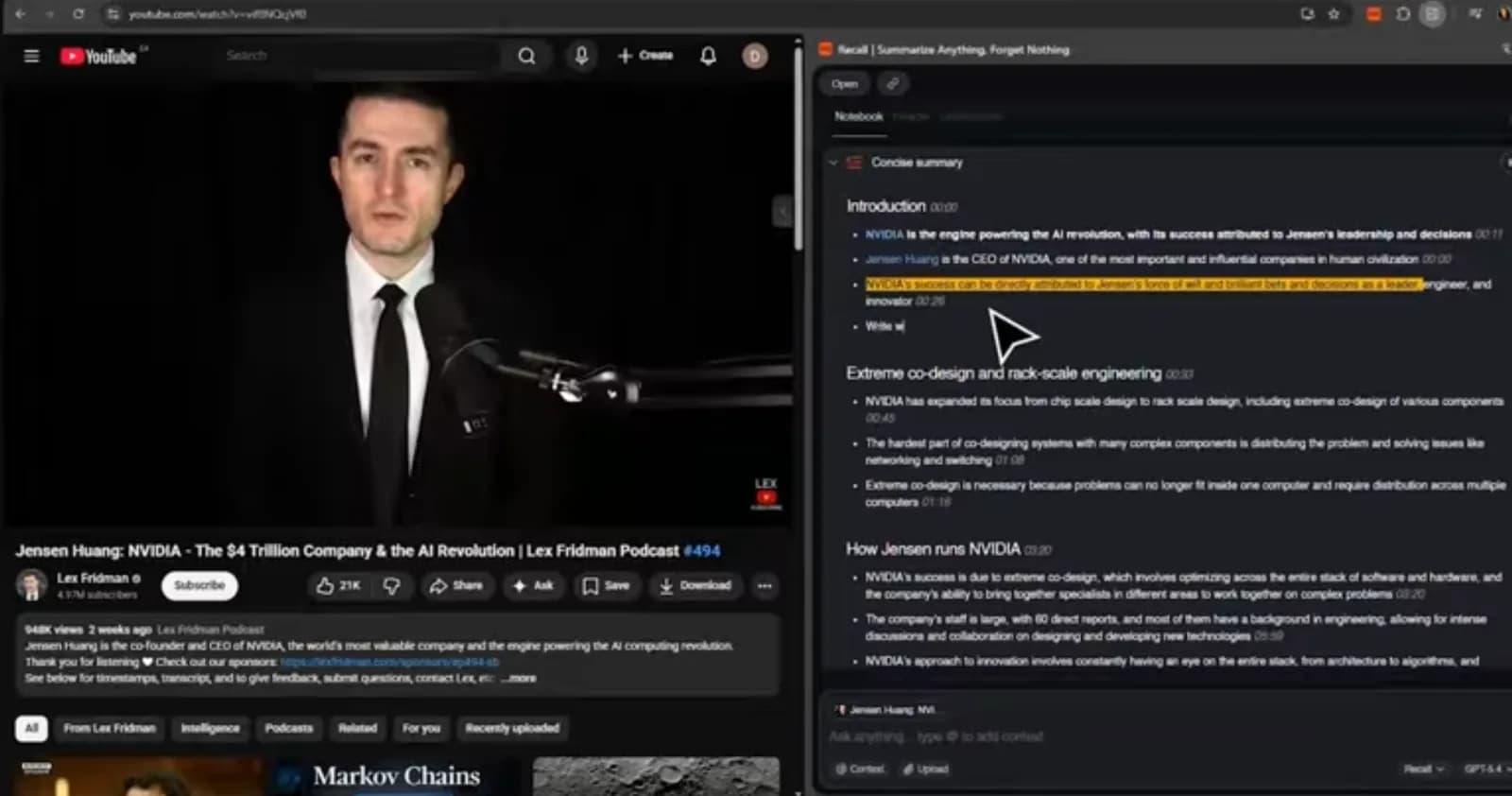
Recall presents a knowledge-base workflow for organising saved reading and viewing. Consider it when the main frustration is scattered material rather than the quality of one short summary.
What to evaluate
Save a few related sources, then try retrieving an older idea with a natural question. Check the current capture formats, source references and integration options directly. We have not tested retrieval accuracy or established that particular integrations are absent.
KnowledgePilot
Best fit: Structured answers you can check against source material.
KnowledgePilot didn't start as an attempt to build another AI summariser. Its creator was an engineer who kept losing time digging through long specification PDFs for one specific clause — the kind of search where you need to know, for example, exactly what the sight-distance requirement is for a vehicle approaching a roundabout, and you need to trust the answer enough to act on it. An AI summary wasn't good enough on its own; what mattered was being able to check the answer against the exact paragraph it came from. The same problem showed up on YouTube: three-hour interviews with people like Jensen Huang, or hours of NVIDIA, Tesla, and Bitcoin commentary, where the useful part was two minutes long and the rest was scrubbing. The fix in both cases was the same idea — ask a direct question, get an answer, and jump straight to the exact source, whether that's a document paragraph or a video timestamp.
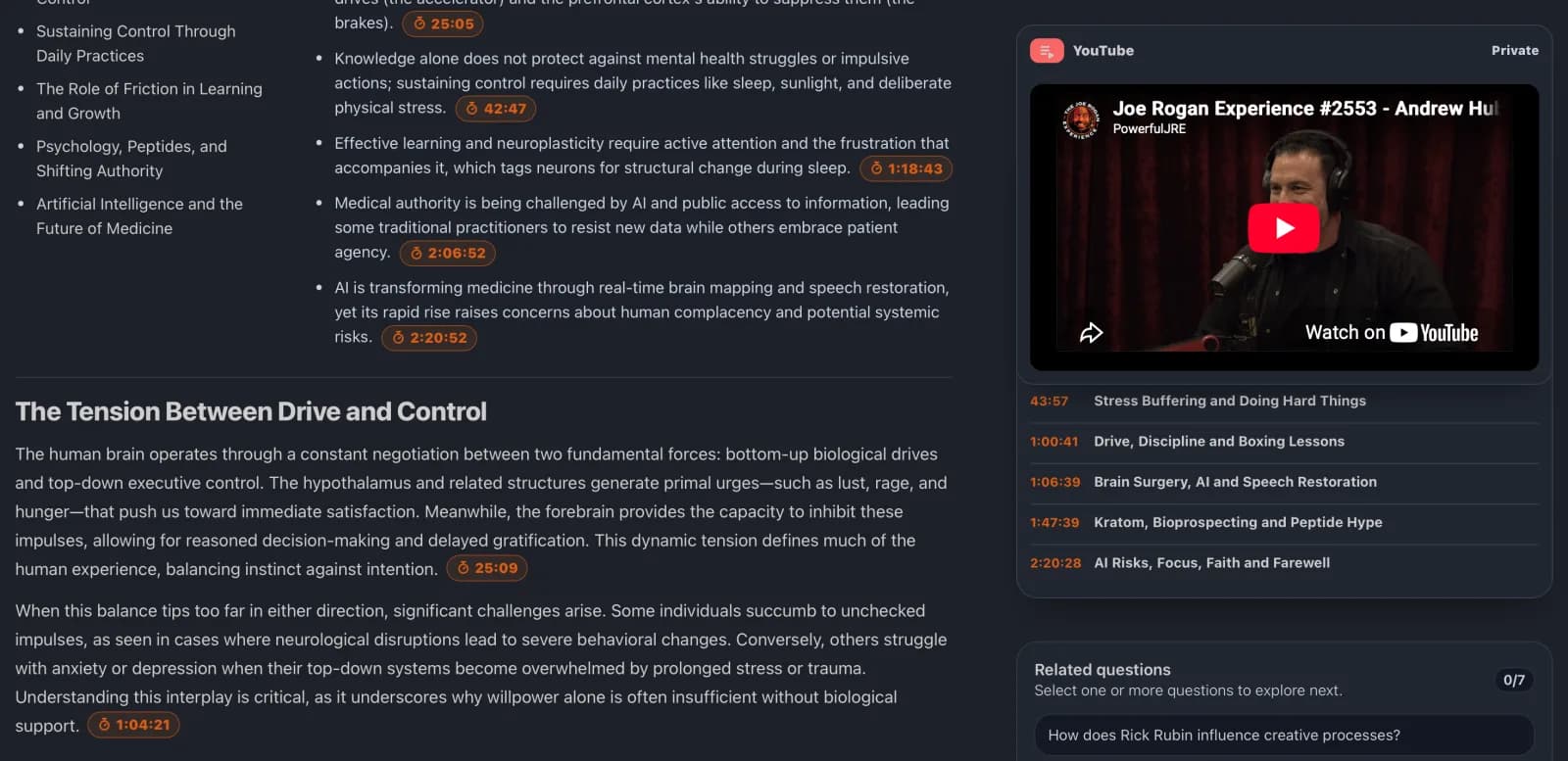
KnowledgePilot turns YouTube videos and documents into selected outputs, including research and study material. Many outputs include references to supporting passages or timestamps where available. Related sources can be grouped in Hubs, and retained source material can support different analyses later without a fresh upload, subject to retention rules.
Strengths
- Focused questions and structured outputs from the same source
- Available document citations and video timestamps for review
- Hubs for questions across related retained material
Limits to check
KnowledgePilot accepts YouTube links and PDF, DOCX, TXT, RTF, MOBI and EPUB documents. It does not accept standalone audio or video uploads. Check current credit estimates, Hub allowances and retention terms in the product FAQ before building a regular workflow.
Start with a question whose answer you already know. Follow the references and decide whether the result would save you useful work on the next, less familiar source.
Readwise Reader
Best fit: Reading, highlighting and keeping articles or newsletters organised.
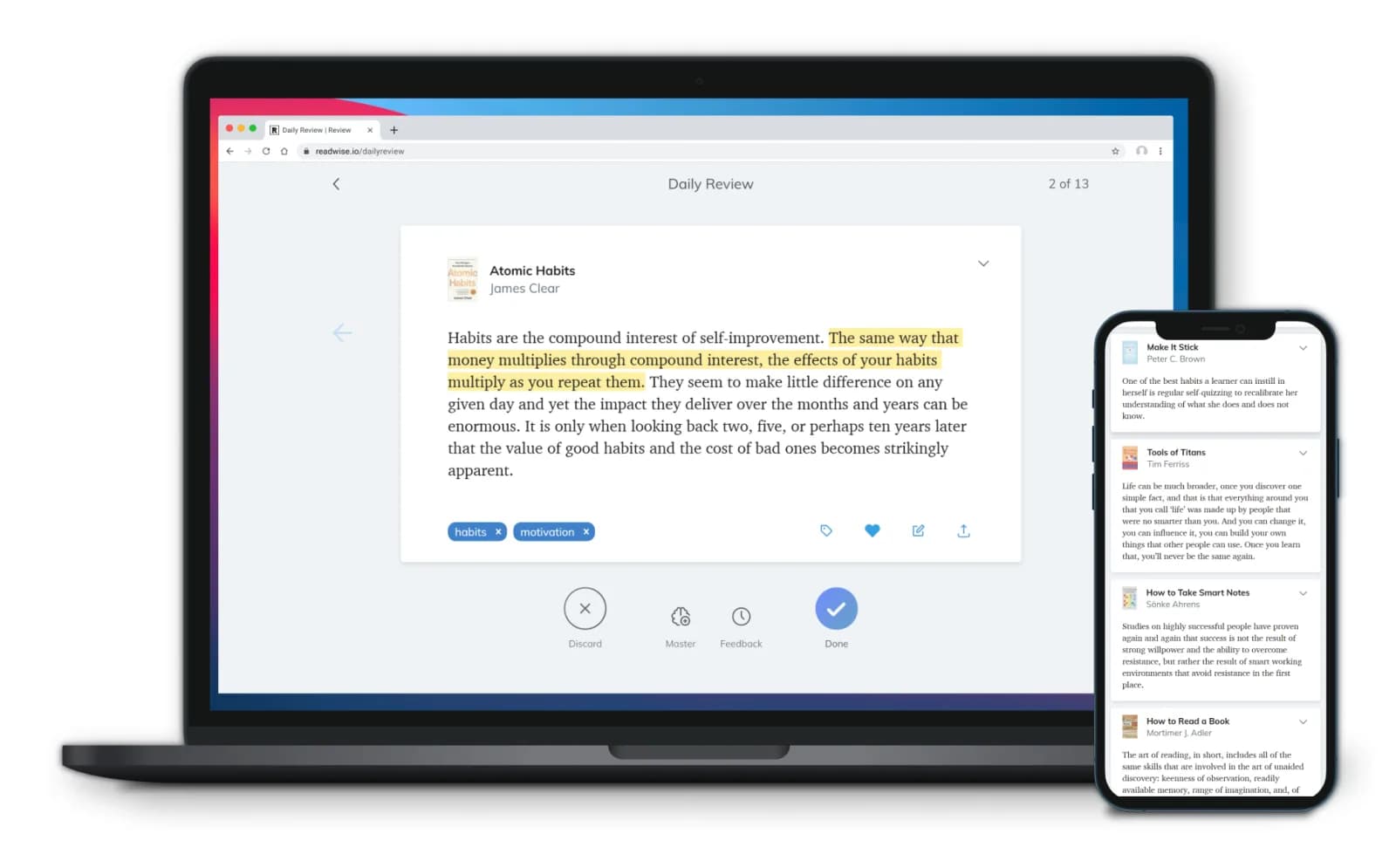
Reader is worth considering if your saving habit is mostly a reading habit. Its product page describes a reading and annotation workspace with Ghostreader assistance. Evaluate how comfortably it fits the way you read, not just whether it can generate a summary.
What to evaluate
Try capturing a representative article and moving a useful note into your existing writing system. Check current export and subscription details. Do not assume that access to a chat feature automatically means every kind of cross-library research is supported.
Glasp
Best fit: YouTube transcripts, summaries and highlighting while browsing.
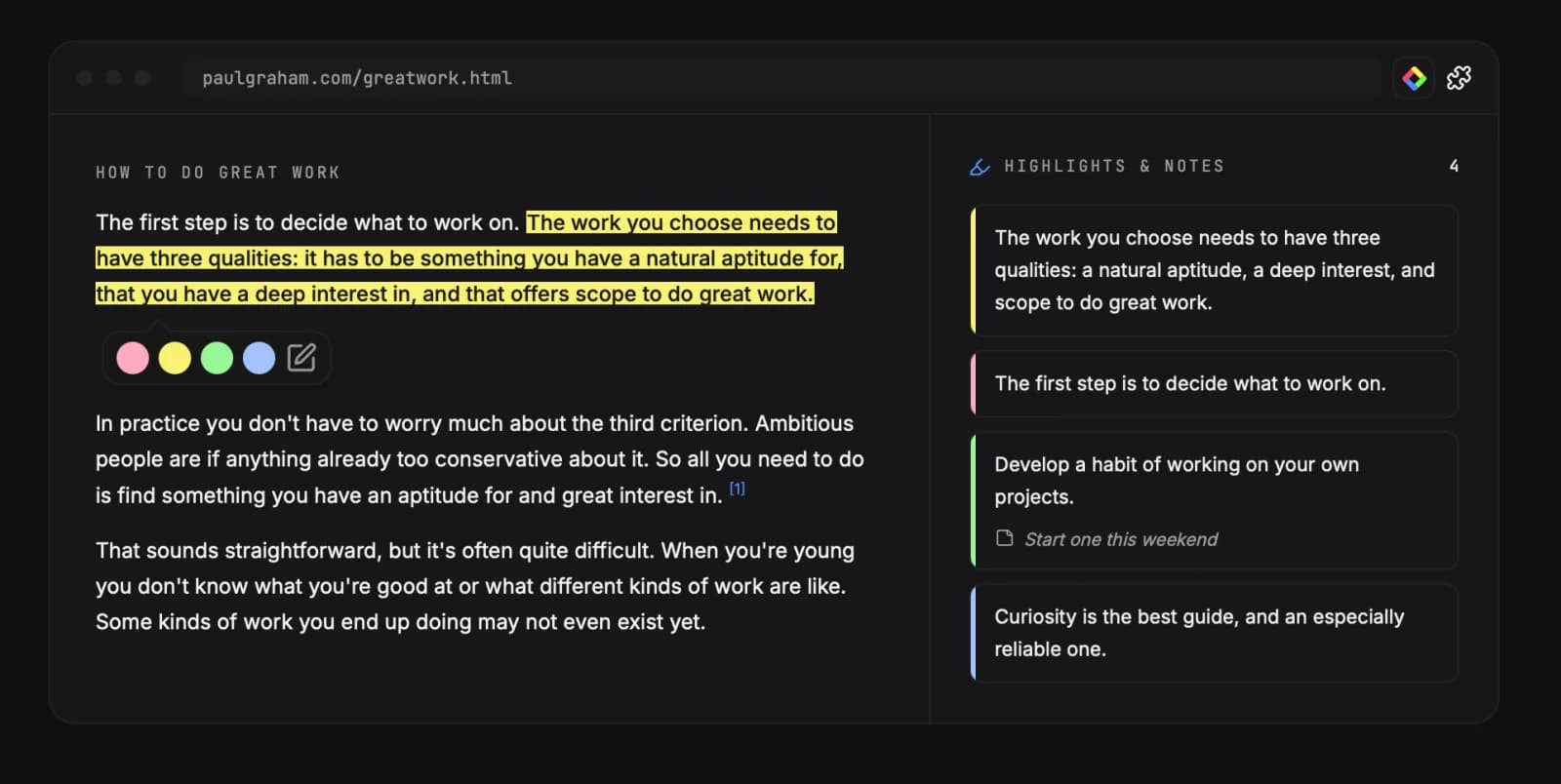
Glasp documents a YouTube summary workflow with transcripts and clickable timestamps. It is an option when you want a lightweight way to locate and save useful video passages.
What to evaluate
Check the source context retained with a highlight, your sharing settings and the current free-versus-paid features. Open transcript timestamps yourself; a timestamp helps verification but does not prove a generated interpretation is correct.
Eightify
Best fit: Deciding which YouTube videos deserve a closer watch.
Eightify focuses on YouTube summaries. Consider it when the task is quickly understanding a video's topic and main points before committing to the full runtime.
What to evaluate
Use one long video you know and inspect whether the recap represents the later discussion as well as the introduction. Check current timestamp behaviour, supported languages and plan terms. This guide does not claim it is the cheapest or fastest option.
Mindgrasp
Best fit: Turning coursework into study aids.
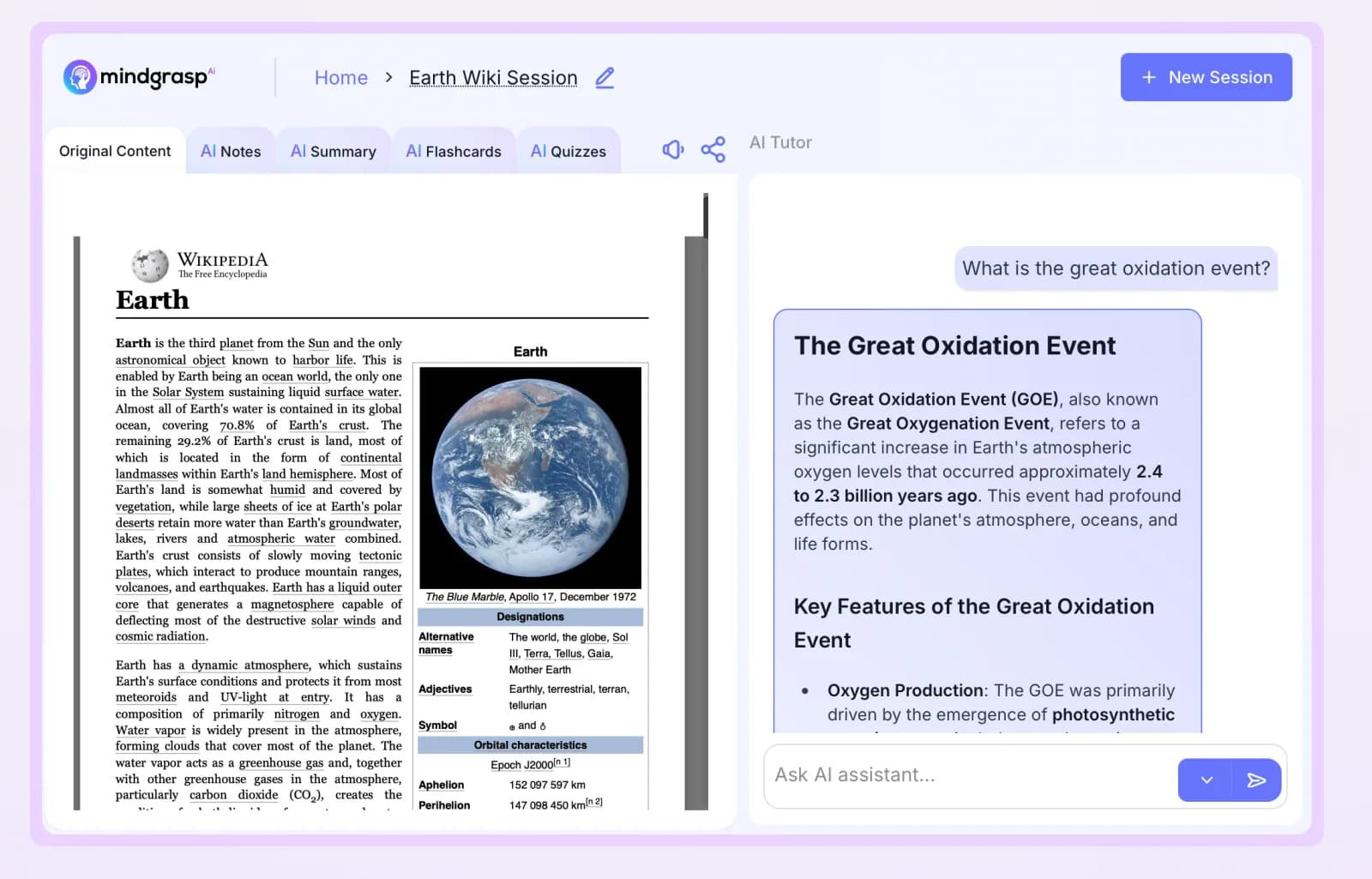
Mindgrasp documents notes, summaries, flashcards and quizzes from several kinds of course material. Consider it when your priority is a study routine and your sources include formats beyond YouTube links and documents.
What to evaluate
Check one definition, one worked example and one exception against the original lesson. We have not established that it handles maths or science more accurately than the alternatives. Check trial and subscription terms on the day you decide.
Otter
Best fit: A workflow that starts with a live meeting or lecture.
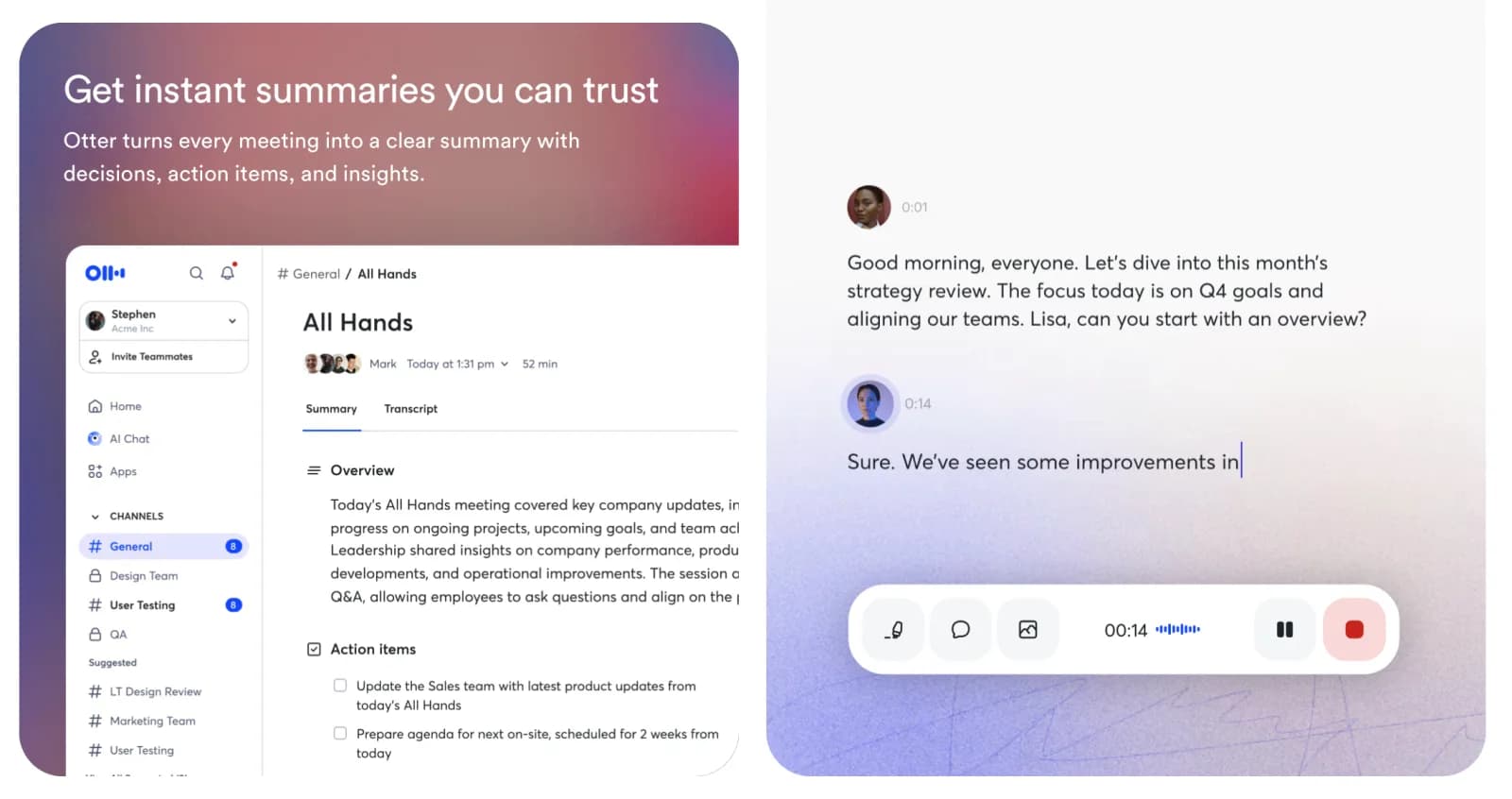
Otter centres its offering on meeting transcription, notes and related workflows. That is a different starting point from analysing a public video after it has been published.
What to evaluate
Check the recording and meeting support you need, participant permissions and plan allowances. Try speaker attribution and the handling of technical terms before relying on transcripts for detailed notes.
Side-by-side: choose the job
| Tool | Starting point | Main reason to shortlist |
|---|---|---|
| Recall | A collection of saved content | Organisation and retrieval |
| KnowledgePilot | YouTube links and supported documents | Structured analysis and source review |
| Readwise Reader | Articles, newsletters and reading | Reading and annotation |
| Glasp | YouTube and browser reading | Transcripts and highlights |
| Eightify | YouTube videos | Quick video orientation |
| Mindgrasp | Coursework in several formats | Study aids |
| Otter | Meetings and lectures | Transcription workflow |
Prices, quotas and integration options change. Compare the cost of your real workload using each provider's current terms, rather than treating an annual-plan monthly equivalent as the amount you pay month to month.
Run one honest side-by-side check
Choose a public video or document you already understand. Write one question about its main claim, one about a qualification, and one the source cannot answer. For each shortlisted product, record whether the source was accepted, whether the answer preserves the qualification, and whether you can inspect the supporting passage or moment. If a provider does not support the source type, mark it “not applicable” instead of counting that as an accuracy failure.
Return to the saved work a day later. A quick recap tool may win for triage, while a reading library may win for retrieval. In KnowledgePilot, try the same custom question against a YouTube link or supported document, follow the available citation, and then ask a new question about the retained source. This is a test you can perform, not a benchmark we claim to have run.
Continue with 4 NotebookLM Alternatives for PDFs, YouTube and Research, compare the approach with YouTube Summary Tools With Timestamps: Which Workflow Fits?, or explore How to Summarize an Annual Report With AI: An Evidence-First Guide.
How we help
Best for answers you can actually verify
KnowledgePilot is suited to structured questions about YouTube links and supported documents when you want to inspect available source references. Test it on a familiar source, check the cited moment or passage, and revisit the retained material for a second question.
For a PDF and lecture study task, compare our Mindgrasp alternatives for PDFs, YouTube and study notes.

Frequently asked questions
Is NoteGPT free?
Its website advertises a free allowance. Check the current quota rules for the specific tools and source lengths you need; an allowance does not imply a fixed number of long-video summaries.
Which alternative helps me check an answer against its source?
KnowledgePilot is designed to support source review through available document references and YouTube timestamps. Other tools also provide source-navigation features. Compare whether the references support your actual questions rather than assuming citation quality from a feature label.
What is the closest replacement for NoteGPT?
For study aids, compare Mindgrasp. For a connected saved-content workflow, consider Recall. For structured research from YouTube and documents, try KnowledgePilot. The closest fit depends on the job you want to preserve.
Choose the replacement for your next real task
Take one source you care about and a question you can verify. The most useful alternative is the one that helps you finish that task and return to the evidence later. If that is your priority, KnowledgePilot is a practical place to start.