Three Mindgrasp alternatives to consider are Google's NotebookLM / Gemini Notebook for a mixed-source notebook, NoteGPT for learning conversions, and KnowledgePilot for structured research from YouTube videos and documents. Choose around your actual source and the output you need: revision material, a connected notebook, or an answer you can check against a passage or timestamp.
See how KnowledgePilot analyzes YouTube lectures with source timestamps
This guide uses official provider documentation checked on 13 October 2026, linked below. We have not performed a same-source product benchmark. KnowledgePilot is our product; the recommendations describe workflow fit, not measured superiority.
When staying with Mindgrasp makes sense
Mindgrasp documents a study toolkit for notes, summaries, quizzes and flashcards, with support for several kinds of course material. If those study mechanics and input formats already fit your routine, a change may add migration work without solving a real problem.
Write down what is missing. Is it a supported file type, a way to organise research beyond one course, a specific output, or a clearer route back to the evidence? That becomes your comparison criterion.
Use the next assignment as your test case. A tool that creates attractive flashcards but cannot handle the source you have is not a replacement. Equally, a broad research notebook is unnecessary if you only want a quick definition check before class.
Three alternatives for three different routines
| Product | Consider it for | A useful question to try |
|---|---|---|
| NotebookLM / Gemini Notebook | A notebook of mixed course sources | What do these readings say about the same concept? |
| NoteGPT | Summaries and other learning conversions | Can I create the study material I need within my allowance? |
| KnowledgePilot | Structured study and research outputs from videos and documents | Which passage or timestamp supports this explanation? |
Choose by source, output and review task
| Your requirement | Start your evaluation with | What to check |
|---|---|---|
| Google Workspace material alongside readings | NotebookLM / Gemini Notebook | Import the source types you use and ask a question across them |
| Several learning conversions from one source | NoteGPT | Generate the required study material and check the allowance used |
| A brief or focused answer from a YouTube video or PDF | KnowledgePilot | Follow a citation to the video moment or supporting document passage |
| Standalone audio or video uploads | Mindgrasp or another tool documenting recording support | Confirm the file format and plan; KnowledgePilot does not accept these uploads |
These are shortlist criteria, not test scores. To evaluate a PDF workflow, use the PDF summary and citation-checking guide. For a public lecture, follow the YouTube lecture-to-study-notes workflow.
Google's current source documentation uses Gemini Notebook; many readers will know the product as NotebookLM. Check each provider's current formats and limits before moving course material.
The table describes possible fits from provider documentation. It does not measure note quality, factual accuracy or the time required to complete a study session. Ask each candidate the same question about material you already understand before comparing unfamiliar answers.
A mixed-source notebook for connected reading
Google documents support for documents, web sources, audio and public captioned YouTube videos. Consider its notebook workflow when your course draws on several types of material and you want to question the collection together.
Give source names in questions where attribution matters. Two readings may use the same term differently, and a combined answer should preserve that distinction rather than invent a single course-wide definition.
A toolkit for quick study conversions
NoteGPT offers summarisation and learning tools across YouTube and document workflows. It is a candidate when you want to turn individual pieces of material into several study aids.
Evaluate one complete session: add the source, produce the outputs, review them and return later. Check how that session consumes the plan allowance. Counting tool names is less useful than finding out whether your weekly workload fits.
A research workflow with source references
KnowledgePilot accepts YouTube links and supported documents, generates selected outputs and allows focused custom questions. Related sources can be organised in Hubs. That makes it useful when lecture material is also part of a longer research project.
For example, you might ask: “Explain the concept using the lecturer's example, retain the stated conditions, and show the supporting source locations.” Follow the available citations, then write your own short explanation. This turns generated notes into something you have actively checked.
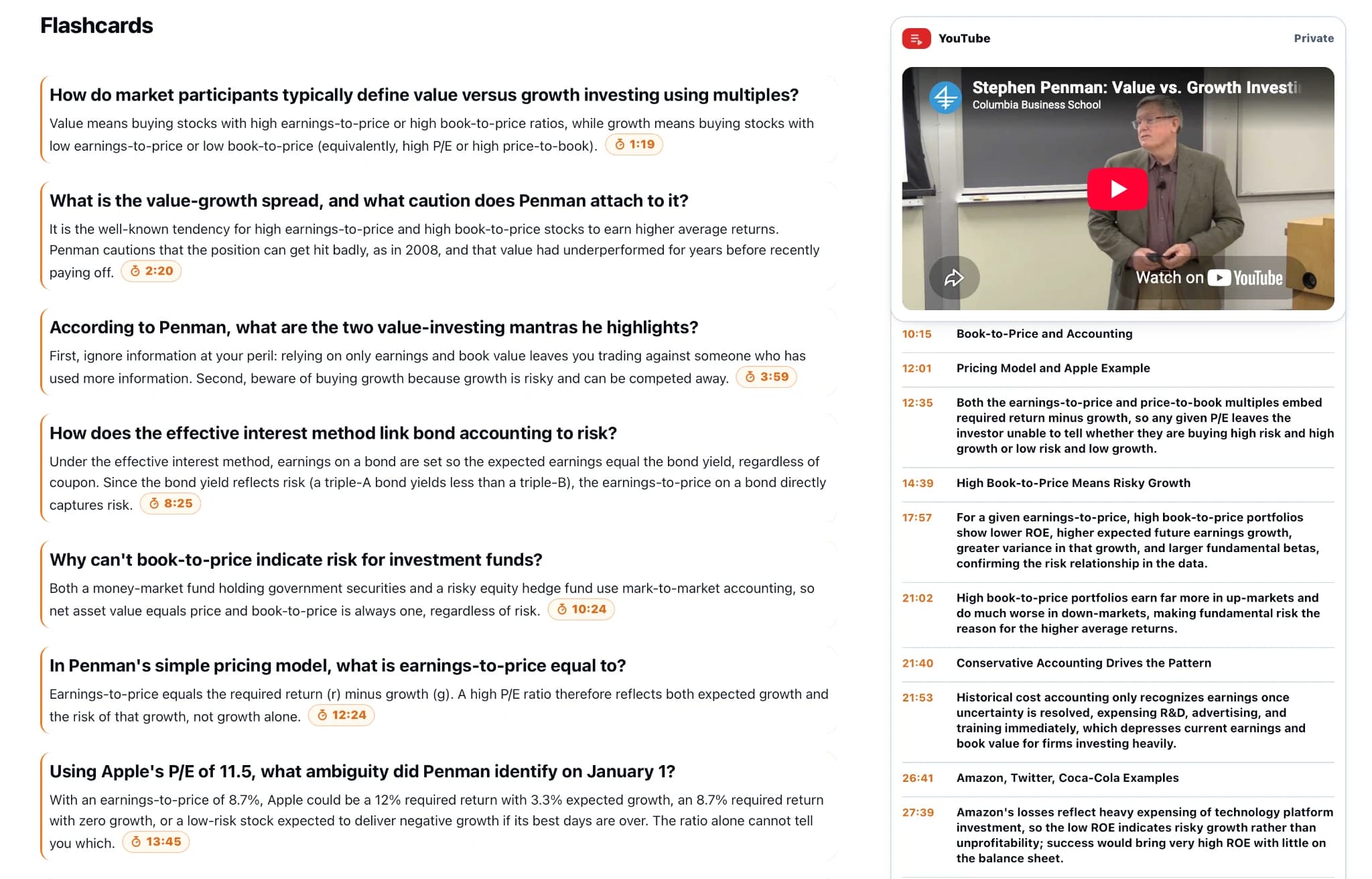
For a fuller session, add a public lecture video, choose the study outputs you need, and test one flashcard against the speaker's example. If you have a matching handout, keep it in the same Hub and ask where the two sources agree or use different wording. Cite each source separately in your own notes.
KnowledgePilot does not accept standalone audio or video uploads. If your starting point is a recording file, that requirement should shape your shortlist before any comparison of outputs.
Check a difficult example before committing
Choose one concept you understand, one you find difficult, and one question the material does not answer. Inspect the generated definitions, examples and source references. A useful tool should help reveal uncertainty instead of covering it with fluent text.
For a visual lesson, open the diagram or worked calculation. Text-derived notes can help you find it but may not contain the complete explanation. Use official practice questions to confirm the course's expected method.
Finally, try a deliberately unanswerable question. Record whether the output signals uncertainty or invents a plausible course fact. That single check is often more revealing than another polished summary.
Continue with 4 NotebookLM Alternatives for PDFs, YouTube and Research, compare the approach with The Honest Guide to NoteGPT Alternatives, or explore YouTube Summary Tools With Timestamps: Which Workflow Fits?.
How we help
How KnowledgePilot helps
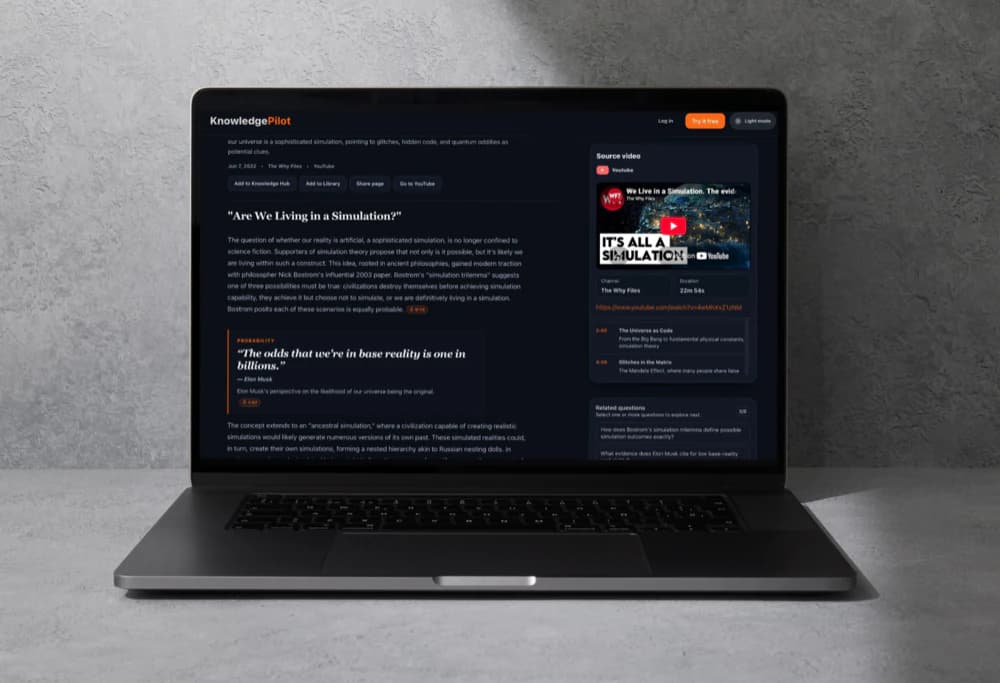
KnowledgePilot can turn public YouTube lectures and supported documents into selected study outputs, including focused answers with available source references. Verify definitions and worked examples against the original material; standalone recording uploads are not supported.
For a closer look at the product, read our introduction to KnowledgePilot's AI summarizer for YouTube and documents.
Frequently asked questions
Which Mindgrasp alternative is best for PDFs and YouTube?
The answer depends on the output you need. Compare a mixed-source notebook, a broad study toolkit and KnowledgePilot's structured analysis workflow using familiar material and the same questions.
Can I use KnowledgePilot for recorded lectures?
It accepts YouTube links and supported documents, but not standalone recording files. Use an appropriate tool if you need direct audio or video upload.
Can generated notes replace the original course material?
They are useful for organisation and revision. Keep the original examples, definitions and assessment guidance available, and check uncertain answers before studying from them.
Choose around your next study session
If your materials are PDFs and YouTube lectures, try KnowledgePilot with one concept you genuinely need to understand. Judge it by the usefulness of the notes and how easily you can check their source.