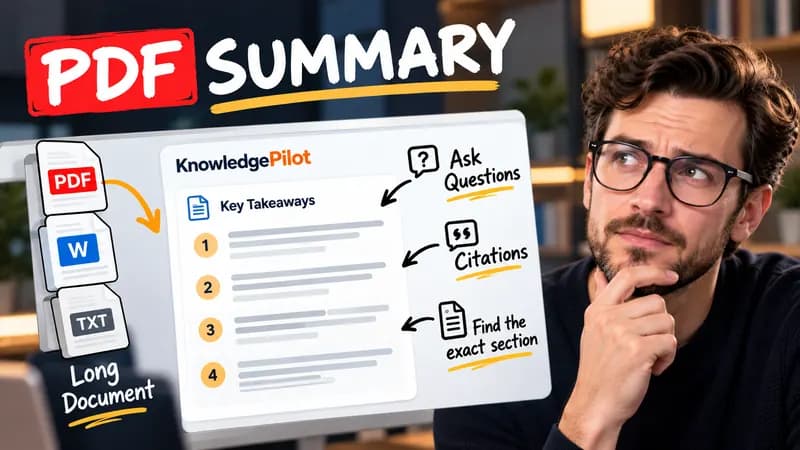
Summary
Summarize Long PDFs
Turn long reports, papers and technical documents into clear key takeaways without reading every page.
Summarize a PDFFree browser tool
Find Item headings in a pasted or locally imported annual report, review section excerpts and count words. Free, no AI and no document upload.
Quick answer
Form 10-K organizes company disclosures into numbered Items. Item 1A covers risk factors, while Item 7 contains management’s discussion and analysis. This tool searches for Item headings at the start of lines, then groups the following text until the next matched heading. It is useful for locating a section in a long text export before doing closer reading.

A document beginning “Item 1. Business”, followed later by “Item 1A. Risk Factors” and “Item 7. Management’s Discussion and Analysis”, produces three separate matches. If the contents page repeats them, those matches also remain visible for review.
A contents page can repeat the same Item labels as the body. The finder keeps each occurrence rather than guessing which one is authoritative. Incorporated-by-reference disclosures, unusual formatting and scanned pages may not yield a complete section. This is a navigation aid, not a completeness check or an assessment of the company’s risk. Review the original filing and surrounding context. Not financial advice.
Good to know
It is free without an account. It uses fixed parsing rules, formatting or arithmetic in your browser, without AI or paid API calls. KnowledgePilot’s AI summarizers are separate products.
Inputs and document files are processed locally. This tool does not upload your text or files to KnowledgePilot. Optional saved drafts stay in your browser, so download a copy before clearing its data.
Review the worked example and limits above. The output follows the information you enter; it does not verify the source or supply missing facts. Check important details against the original material.
KnowledgePilot
Finding information is only the first step. KnowledgePilot helps you understand documents, ask questions, and verify every answer against the original source.

Try an AI video summarizer that gives you a YouTube summary with clickable YouTube timestamps, so you can check every point against the original video.
Use an AI document summarizer to summarize PDFs, search documents, ask questions and find key information without reading every page.
Turn long reports, papers and technical documents into clear key takeaways without reading every page.
Summarize a PDF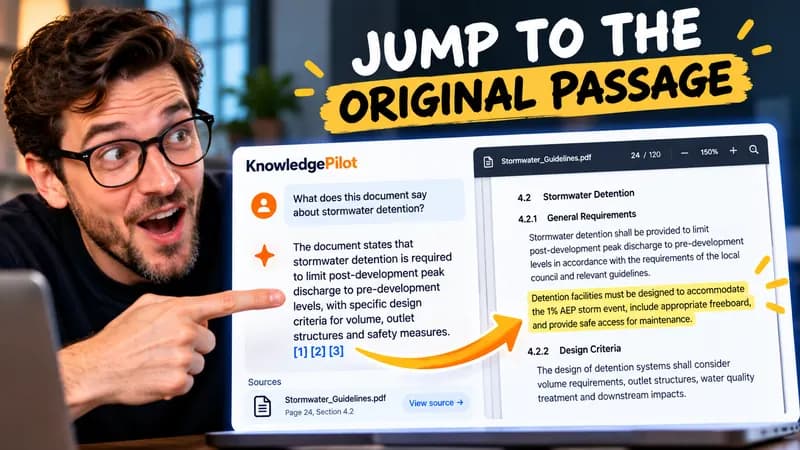
Follow citations back to the relevant section and see the supporting text in context.
Explore document analysis40 free credits · No credit card required