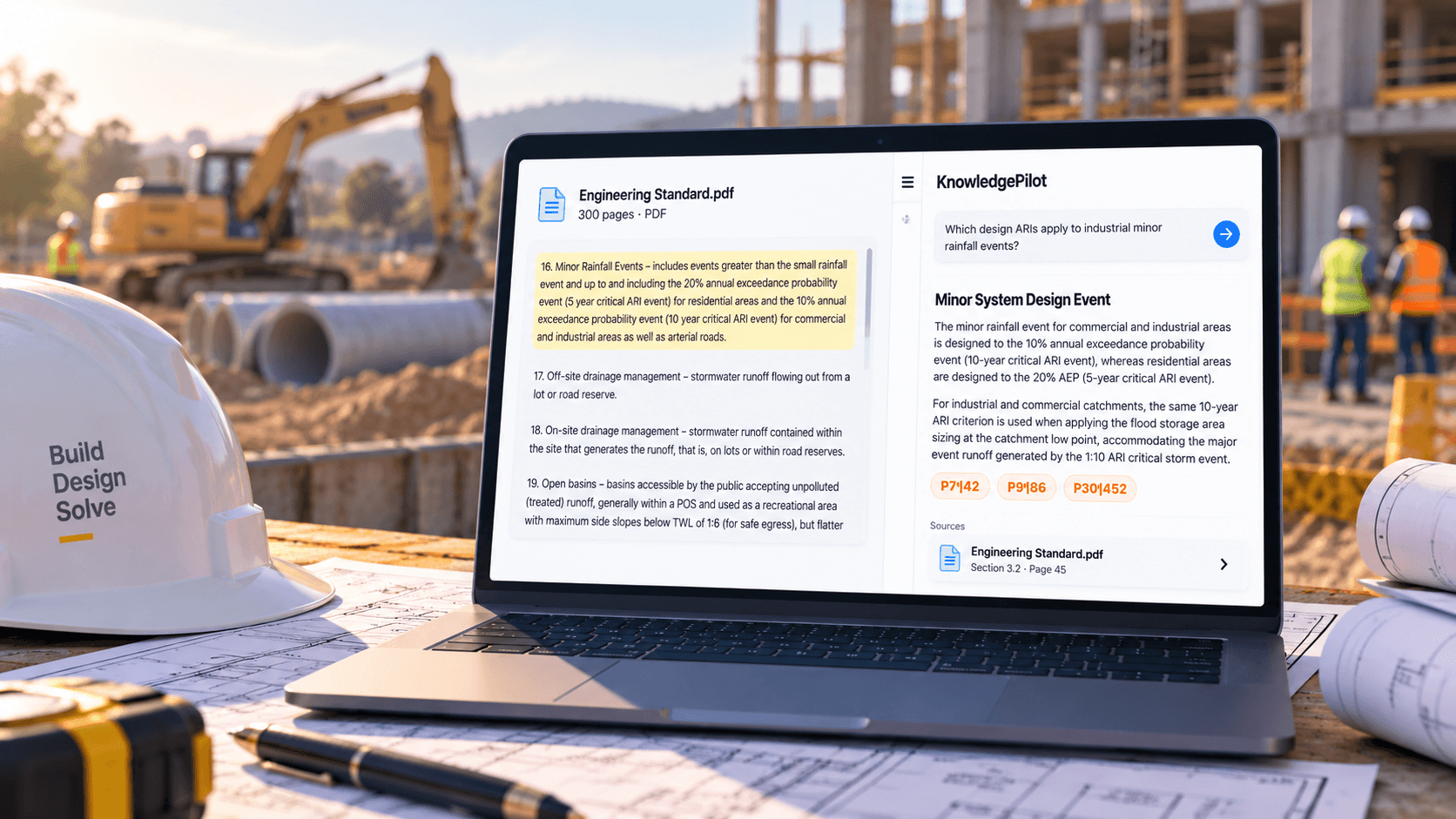
You need one requirement from a 200-page guideline. Searching “access” returns dozens of matches; searching the phrase you would naturally use returns none. The useful question is often more specific than the document's headings: what does this guideline require for maintenance access under these project conditions?
Explore source-backed document summarization
AI can help locate relevant passages and organise the answer. For engineering work, the result must remain a route into the governing documents, with their version, scope and qualifications intact.
Start with the document that applies
Before searching, record the issuing authority, document title, revision and project context. A clear answer from the wrong revision or jurisdiction is still the wrong evidence for your task.
Check project-specific requirements and the document hierarchy through your normal review process. This guide describes how to find information; it does not establish which standard governs a design or provide engineering requirements.
Make a source header before searching: authority, full title, revision/date, project, and whether the copy is approved for use. If any of those are unknown, mark them unknown. An AI answer cannot repair missing document control.
Ask a question with enough context
A keyword such as “roundabout” is a reasonable starting point. A focused question can do more: “According to this document, which sections discuss sight distance on roundabout approaches? Identify the relevant conditions and cross-references, and cite the supporting passages.”
That asks for a source map rather than an unsupported design answer. Add the context actually present in your project, and ask the tool to identify missing inputs instead of filling them in.
| Broad search | More useful source question |
|---|---|
| Maintenance access | Which clauses discuss access for inspection and maintenance? |
| Basin slope | Where are slope requirements defined, and which conditions change them? |
| Clearance | Which installation conditions affect the stated clearance? |
| Inspection | What inspections does this specification describe before commissioning? |
These are example research questions, not technical recommendations or stated requirements.
If the first answer is broad, narrow it with a second question: “Which cited clauses apply to the stated site condition, and which conditions would make them inapplicable? List missing project inputs.” This prompts a checkable search trail without asking the system to make a design decision.
Open the cited passage and its neighbours
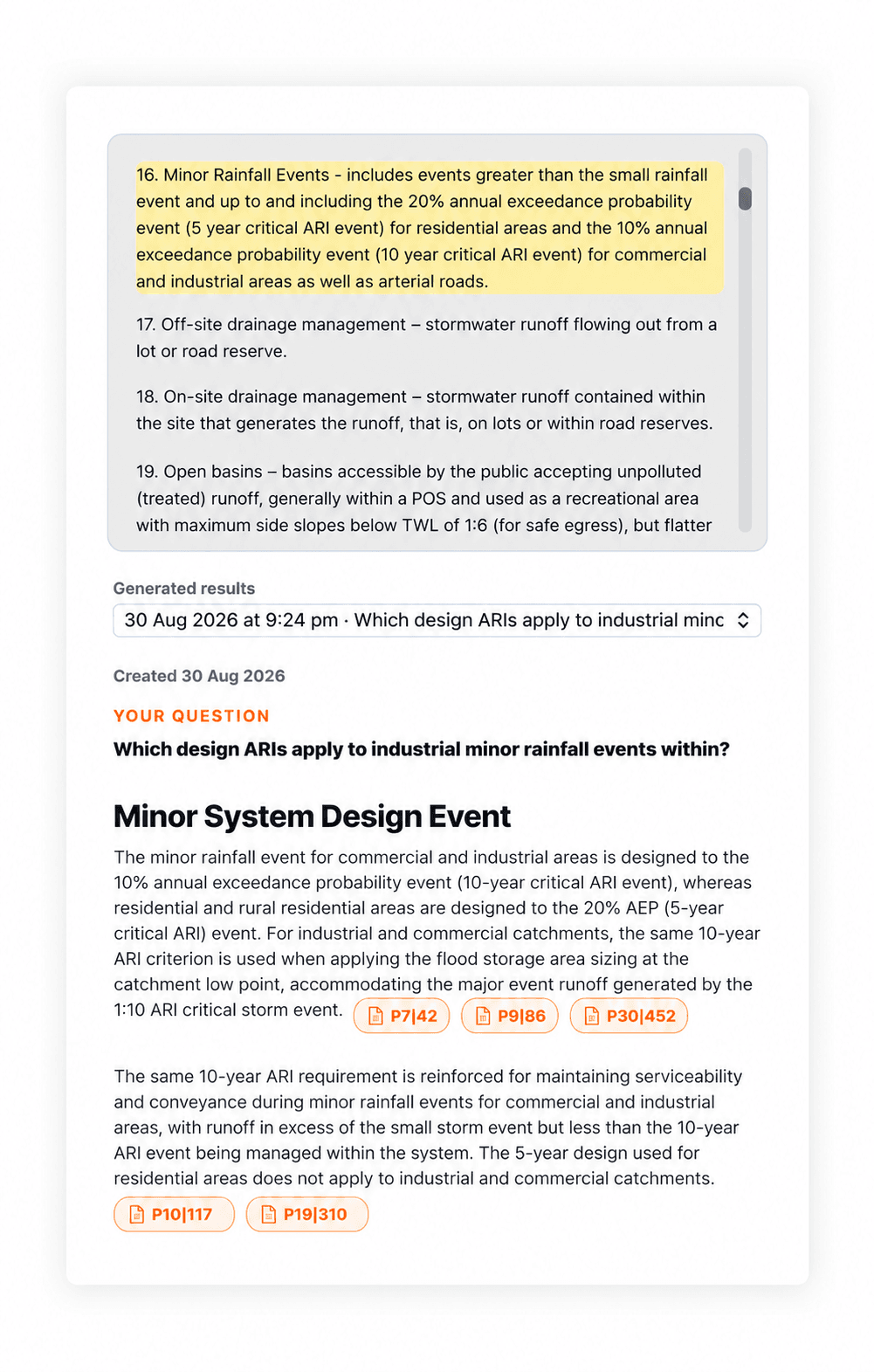
In KnowledgePilot, upload a supported document and use a custom question to focus the analysis. Where citations are available, open the source passage and read the surrounding text.
Check whether the wording describes a requirement, recommendation, example or exception. Follow cross-references. Inspect any associated figure or table in the original PDF, including its notes and labels. A text answer may not capture the visual condition that makes a clause applicable.
A useful note records what the document says, where it says it, and what still needs checking. Do not turn “the guideline discusses this factor” into “the design satisfies the guideline.”
For a result you expect a colleague to review, open the citation beside the answer, then inspect at least the heading, preceding paragraph, figure references and exceptions. Copy the clause identifier into your log. If the answer paraphrases a “should” as a “must,” correct that wording before sharing.
Keep multiple documents distinguishable
A project may involve an authority manual, local specification and project report. Group related sources in a KnowledgePilot Hub, then ask: “Identify the passages in each source that address this question. Keep the sources separate and flag differing wording or conditions.”
Do not ask the AI to silently reconcile conflicts. A difference may reflect scope, revision, terminology or an actual inconsistency. Your established document-control and engineering-review process determines what to do next.
Ask for a two-column source map: one column for each document's quoted location, with a third field for the unresolved difference. Do not collapse them into a single synthetic requirement. The final choice belongs in the project's normal review and approval record.
Create a requirement-search log
For each useful result, record the question, source title and revision, clause or passage, relevant conditions, and your review status. Add a short note explaining why you considered the passage relevant.
This is more useful to a colleague than a screenshot of an AI answer. They can repeat the source check, see unresolved issues and distinguish your interpretation from the quoted requirement.
| Log field | Example of what to record |
|---|---|
| Question | The precise project condition you searched |
| Source | Title, issuing authority and revision |
| Evidence | Clause, page or linked passage, plus figure/table reference |
| Status | Verified, needs cross-reference, or not established |
Keep the log short enough to use during review. A single verified location is more valuable than a long list of loosely related search hits.
KnowledgePilot can retain source material for later questions while it remains in your account under the applicable retention rules. Keep authoritative project records in your normal document system; a research workspace is not a substitute for document control.
Continue with PDF Summarizer With Citations: How to Check the Evidence, compare the approach with How to Summarize a PDF with AI Using KnowledgePilot, or explore How to Summarize an Annual Report With AI: An Evidence-First Guide.
How we help
Search engineering PDFs with verifiable citations
KnowledgePilot can locate relevant passages in a supported engineering document and answer focused questions with available citations. Verify revision, conditions, figures and cross-references in the governing source; AI search does not replace engineering review.
Frequently asked questions
Can AI tell me which engineering standard applies?
It can help locate statements within the sources you provide. Applicability depends on the project and governing requirements and must be established through the appropriate professional review process.
Why use AI instead of PDF keyword search?
Keyword search is excellent for exact wording. AI can help when the question spans several passages or uses different terminology, provided you verify the resulting source references.
What if two guidelines give different answers?
Keep both passages and their versions visible. Check scope, document hierarchy and project requirements through your normal review process rather than accepting an automatic compromise.
Find the clause, then do the review
Try a familiar engineering PDF in KnowledgePilot and ask one question you currently search manually. The useful outcome is a shorter route to the relevant evidence, with enough context to support your own review.